Seasonal Wallpaper Trends — Christmas, Halloween & More
When to switch and what's trending — month-by-month seasonal collections.
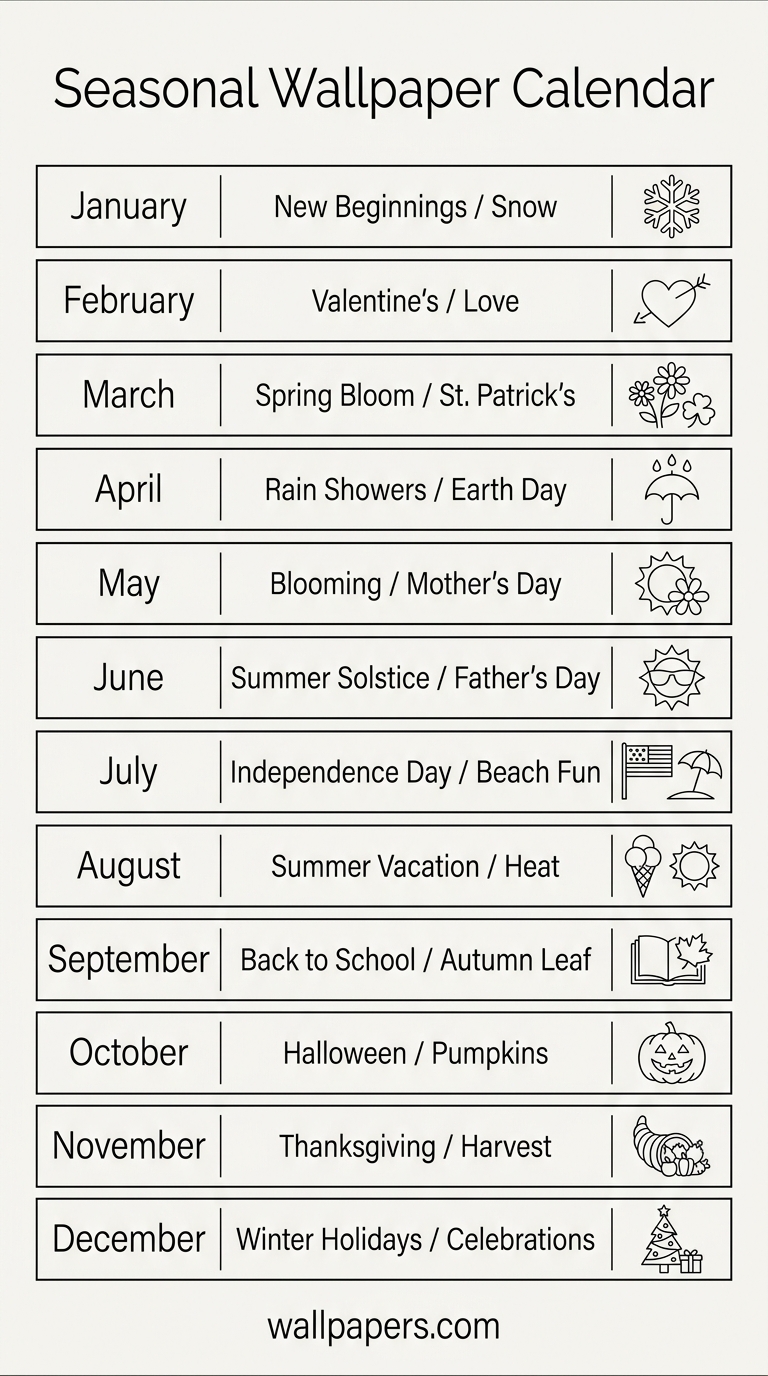
Seasonal wallpapers are one of the highest-engagement categories on the web. Set the right one and your phone feels like a different device. Here's the calendar with our top collections per season.

October — Halloween
The biggest seasonal switch of the year. Browse our Halloween wallpapers: pumpkins, witches, haunted houses, dark autumn aesthetics. Switch typically on Oct 1, hold through Halloween night.
November — Autumn / Thanksgiving
Warm browns, oranges, fallen leaves. Autumn wallpapers work all month. In the US, Thanksgiving themes peak in the last week.
December — Christmas
Our highest-traffic single category. Christmas wallpapers trend from Black Friday onward. Trees, lights, snow scenes, cozy interiors. Hold until Jan 1.
January — Winter / New Year
Snow scenes, minimalist whites, "fresh start" aesthetics. Winter wallpapers. The "new year, new wallpaper" search peaks in the first week.
February — Valentine's
Red and pink dominate. Valentine wallpapers spike Feb 7-14. Flowers, hearts, love quotes.
March-April — Spring / Easter
Pastels, flowers, fresh greens. Spring wallpapers + Easter wallpapers.
May-August — Summer
Beach, sunset, vibrant colors. Summer wallpapers trend May 1 through Labor Day.
September — Back to School / Early Autumn
Productivity-focused, study aesthetics, early fall colors. Crossover between summer and autumn collections.
Setting up auto-switching
iOS focus modes can switch wallpapers based on time/day. Set up a "Holiday" focus mode in November that auto-applies Christmas wallpapers from Black Friday to Jan 1.
Bulk download for the year
Premium users can bulk-download entire seasonal collections at once — keep them in a folder and switch monthly.
Try our free tools
- Image resizer — pixel-perfect downscale + upscale.
- Convert to WebP — 30-50% smaller files than JPG.
- Background remover — one-click cutout.
- Social-media resizer — every platform's exact dimensions.
- Bulk processing — apply any tool to up to 200 images at once.
Browse the full tool catalog or our other guides.