tutorial
設定動態及生動壁紙 — iOS、Android、Windows
逐步指南,教你在各主流平台使用動態壁紙。
動態壁紙在運作時感覺像魔法,但若失敗則顯得極其破損。每種作業系統對其處理方式不同。以下是實用指南。

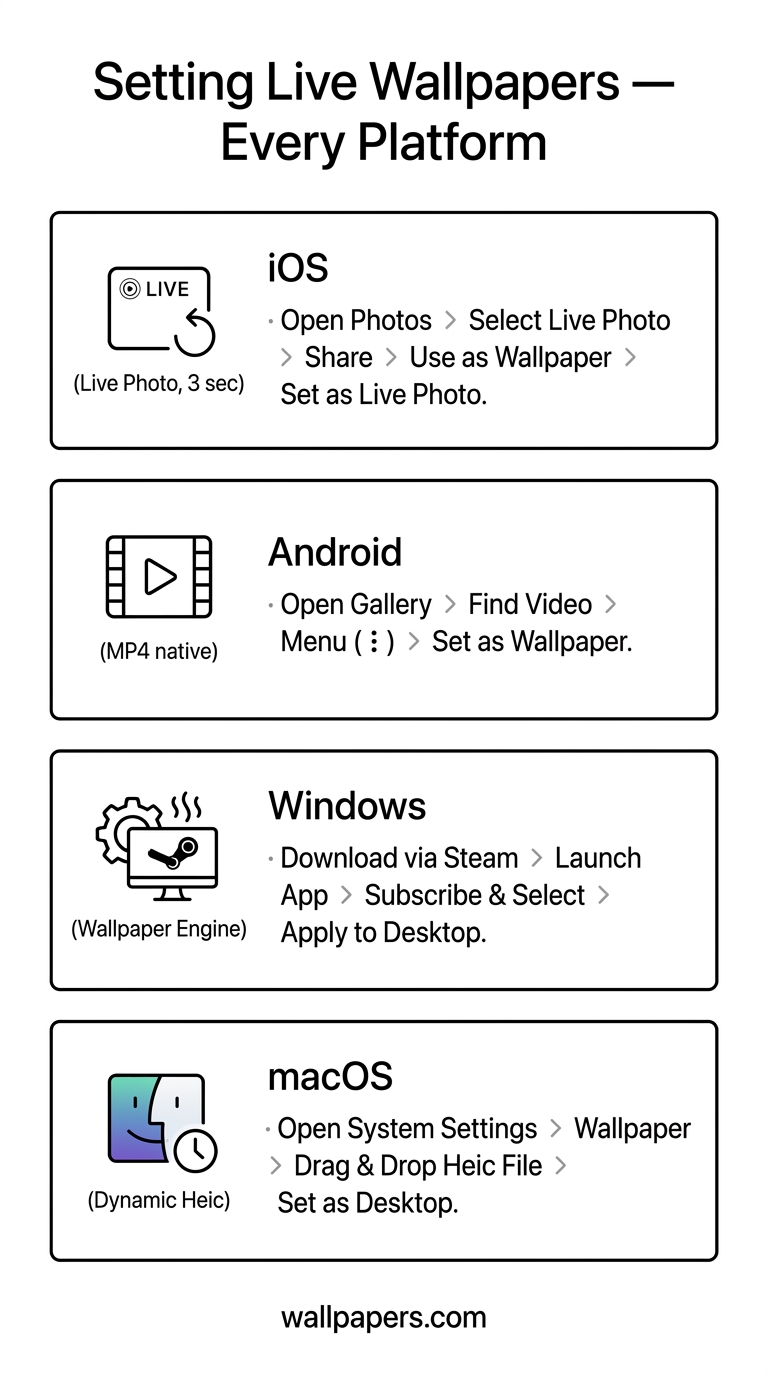
iOS — Live Wallpapers
要求: iPhone 6s 或更新型號(支援 Live Photo)。iOS 17+ 已從鎖定畫面移除 Live Wallpapers — 僅剩主螢幕 Live Photos。
- 拍攝或製作 Live Photo(3秒影片片段)。
- 設定 → 壁紙 → 新增壁紙 → Live Photos。
- 選擇圖片,點選「設定」,選擇鎖定畫面和/或主螢幕。
- 長按鎖定畫面以播放動畫。
使用我們的 live wallpaper converter 將任何影片轉換為 Live Photo 格式。
Android — Live Wallpaper 應用程式
Android 透過應用程式原生支援 Live Wallpapers。檔案使用格式如 MP4、GIF 或專用的 .lwp 套件。
- 安裝 Live Wallpaper 應用程式(例如 KLWP、Muzei、Walli)。
- 長按主螢幕 → 壁紙 → Live Wallpapers。
- 選擇來源影片或動畫。
若要原生支援 MP4 為壁紙而不需應用程式,Pixel 和 Galaxy(One UI 5+)已內建支援 — 進入壁紙設定 → 瀏覽,選擇 MP4。
Windows — DeskScapes / Wallpaper Engine
Windows 本身不支援動態壁紙。兩個付費選項:Wallpaper Engine(Steam,$4)和 DeskScapes。兩者皆接受 MP4、WebM、GIF,甚至基於著色器的動畫。
免費替代方案:VLC 的「設為壁紙」模式 — 在 VLC 執行時播放影片作為桌面背景。
macOS
macOS Sonoma+ 內建支援動態壁紙(如內建風景套件的時間變化效果)。若要使用真正的動態 MP4 壁紙,請使用第三方應用程式如 Plash 或 AnyWall。
檔案格式參考
| 平台 | 格式 | 最大長度 | 解析度 |
|---|---|---|---|
| iOS Live Photo | HEIC + MOV | 3 秒 | 1080×1920 |
| Android(原生) | MP4(h.264) | 10 秒 | 符合螢幕 |
| Wallpaper Engine | MP4 / WebM / Shader | 無限 | 任意 |
| macOS Dynamic | HEIC(多幀) | — | 5K+ |
轉換任何影片片段
我們的 live wallpaper converter 可接受任何 MP4 或 GIF,修剪至正確長度,並匯出目標平台所需的格式。
試用我們的免費工具